How Do You Buy an NFT? Step by Step for Beginners
How do you buy an NFT? You set up a crypto wallet, add a little of the right coin, check you're on the official page and contract, then mint or buy and confirm the transaction in your wallet. That's the whole process. This guide walks through each step in plain words for beginners, with a worked example of minting on Liquid NFTs on Polygon. There's no hype here: an NFT's price can fall as well as rise, so only spend what you're comfortable losing.
What do you need before you buy an NFT?
You need three things before you buy an NFT: a crypto wallet, a little of the network's coin to pay transaction fees, and the money for the NFT itself, usually in crypto or a stablecoin.
- A wallet holds your NFTs and signs transactions. Browser and phone wallets are the most common.
- The network's coin pays the transaction fee, called gas. On Polygon that coin is POL.
- The purchase money, in whatever token the marketplace asks for, such as a stablecoin pegged to the US dollar.
New to the words? Our NFT Glossary explains them, and What Is an NFT? covers the basics.
Step 1: How do you set up a crypto wallet?
To set up a crypto wallet, install a well-known wallet app or browser extension from its official site or app store, create a new wallet, and write down the recovery phrase on paper.
The recovery phrase is the master key to everything in the wallet. Anyone who has it can take your NFTs, so never type it into a website, never share it, and never store it as a screenshot. Our Wallet Safety Basics guide goes through this properly.
Step 2: Which network should you choose?
Choose the network the NFT lives on. NFTs only exist on one blockchain, so if a collection is on Polygon, your wallet needs to be set to Polygon, not another network.
Most wallets let you switch networks in a menu at the top. Fees vary a lot between networks: at the time of writing, Polygon fees are usually a few pence, while Ethereum fees can be much higher.
Step 3: How do you get crypto into your wallet?
You get crypto into your wallet by buying it on a regulated exchange and withdrawing it to your wallet address, or by buying inside the wallet if it offers that.
- Send a small test amount first, and check the network matches on both ends.
- Get a little extra of the network's coin for gas, so a transaction doesn't fail halfway.
- Keep records of what you buy and when, because UK tax rules can apply to crypto.
Step 4: How do you check an NFT is genuine before buying?
Check an NFT is genuine by making sure the contract address on the page matches the one the creator publishes on their official site and socials. Fake copies of popular collections are common.
- Only open marketplace links from the creator's official website.
- Look the contract up on a block explorer and check how many NFTs exist and who created them.
- Read every wallet pop-up before you approve it. If it asks to access all your NFTs or tokens and you didn't expect that, reject it.
Our guides on checking a collection before buying, spotting a rug pull and reading a smart contract cover this in more depth.
Step 5: Should you mint an NFT or buy one second-hand?
Minting means buying a brand-new NFT straight from the collection's contract at the creator's set price. Buying second-hand means buying one someone else has listed for sale, at their asking price.
Minting gets you a fresh token at a fixed price while supply lasts. A second-hand buy lets you pick a specific piece, but the price is whatever the seller wants, so it's worth comparing it with what the NFT actually holds.
A worked example: minting an NFT on Liquid NFTs
Liquid NFTs is a marketplace where part of every mint is held as liquidity inside the NFT itself, in a stablecoin called FUSD. Liquid runs on several chains, including Polygon. Minting there follows the same steps as anywhere else:
- Open the collection's mint page from an official link, such as our Collections page.
- Connect your wallet and make sure it's on the right network (Polygon for ANON's collections).
- Check the price and the token it's charged in. For example, the ANON Revenue Share collection is priced in a US-dollar stablecoin at the time of writing.
- Approve the token spend, then confirm the mint in your wallet, checking the gas fee before you do.
- Once the transaction confirms, the NFT appears in your wallet and on the collection's page.
At the time of writing, Liquid's official About page says at least 50% of each new mint goes into that NFT's liquidity, 40% to the creator, 5% to the platform and 5% to the liquidity of existing NFTs on Liquid. That last share means every new mint on Liquid, whichever collection it's in, adds a little to the others, so ANON NFTs is glad to see collections like Liquid Apes do well too.
After you mint, you can look up your NFT in the Collection Explorer and check what it holds with the Backing Checker. Figures change, so always check it on-chain.
What should you do after you buy an NFT?
After you buy an NFT, check it arrived in your wallet, save the transaction link, and review your wallet's token approvals.
- Confirm the token shows on a block explorer under your wallet address.
- Keep a note of the date, price and fees for your records.
- Remove any approvals you no longer need, and ignore unexpected NFTs or messages that turn up in your wallet, as they're often scams.
Quick questions
Can I buy an NFT with a bank card?
Some marketplaces and wallets let you buy crypto with a card first, but the NFT itself is usually paid for in crypto or a stablecoin.
How much does it cost to buy an NFT?
The NFT's price plus a network fee. At the time of writing, Polygon fees are usually a few pence; other networks can cost more.
Why did my NFT purchase fail?
Usually there wasn't enough of the network's coin to pay gas, or the wallet was on the wrong network.
Is it safe to buy NFTs?
It can be, if you use official links, check the contract and protect your recovery phrase. Prices aren't guaranteed and some NFTs never resell.
Where can I see ANON NFTs to buy?
Every ANON collection is listed on our Collections page, with links to the official mint pages.
Check it yourself
Before and after any purchase, the blockchain is the source of truth. Our guide to checking backing on-chain shows you how to read it yourself, and the NFT FAQ answers more beginner questions.
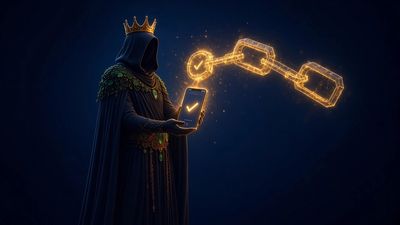
Image caption: Buying an NFT is four steps: wallet, coin, check, confirm. The checking step matters